
Complete features forevery testing need.
One platform, every testing need. Customization, automation, integration, all in one.
Track everythingfrom one place.
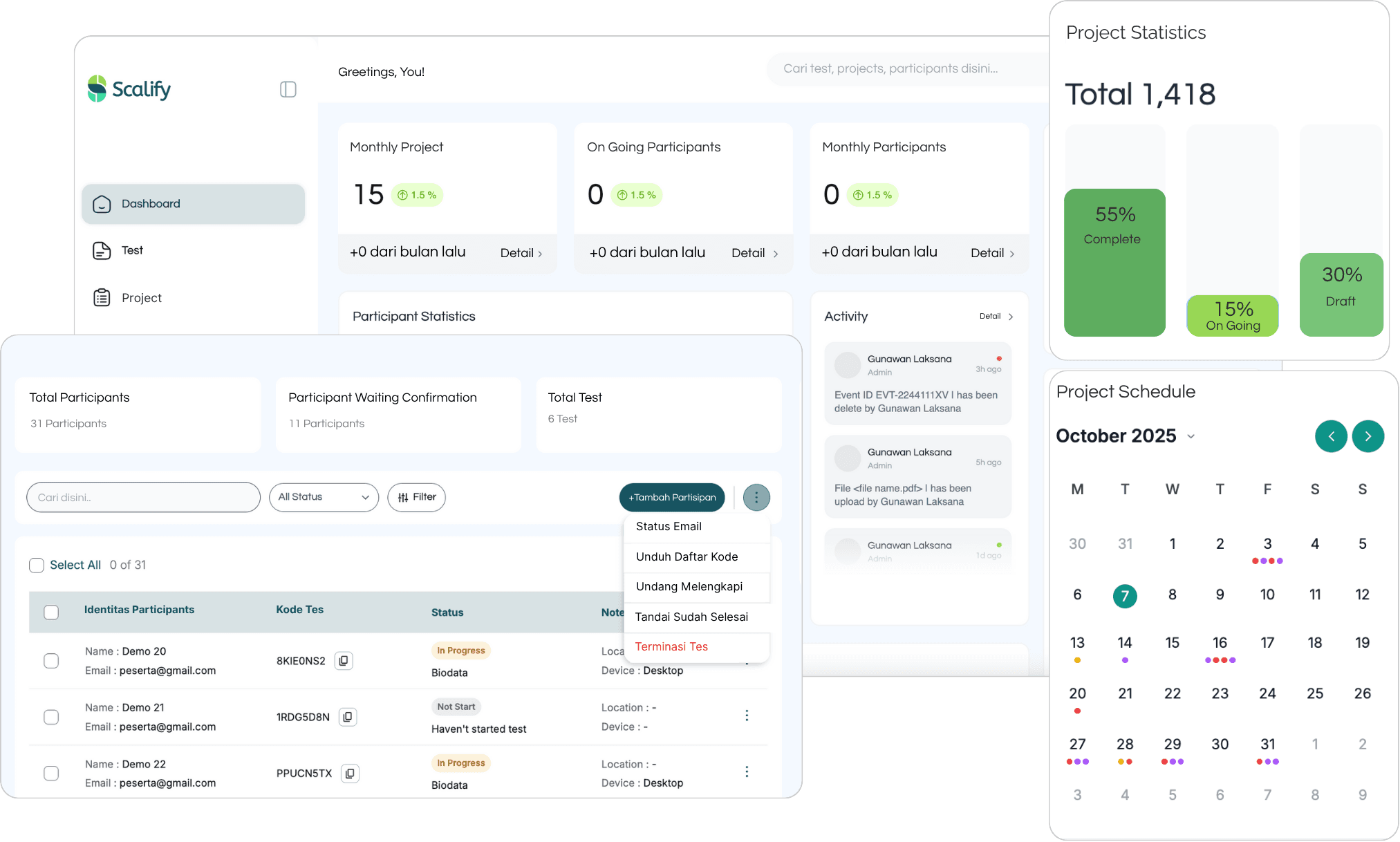
A real-time dashboard that gives you the full picture: candidates, raters, evaluators, and modules at a glance. Click any card to jump straight to the relevant list.
- Live monitoring of participant progress
- Candidate & module statistics
- Jump straight to the data you need
- Centralized project management

From invitation to assessment,every touchpoint carries your brand.
Your logo, colors, invitation email, participant landing page, guidance media, and assessment interface can all follow your institution's identity. Assessment access remains on a consistent neutral domain.
- Logo, colors, and terms match your brand
- Neutral domain for participant access
- Invitation emails styled for your institution
- Consistent guidance media, landing, and assessment UI
Welcome to your Potential Assessment.
Set aside uninterrupted time and review the guide before starting.
Access with your unique code
Enter the token from your invitation email.
Structured supervision,real-time and reviewable.
Turn on proctoring to help your team monitor participants during an exam. Identity checks, fullscreen mode, webcam monitoring, and session notes add context for review.
- Live webcam monitoring on PC/laptop
- Identity & participant condition checks
- Enforced fullscreen mode
- Session notes for review
Quiz, essay, survey,even video tasks!
Scalify offers a wide range of question formats, from simple to in-depth. A single exam can mix multiple question types as needed.
- Multiple choice, checklist, dropdown
- Likert scale & ranking
- Short/long text essay
- Video & audio recording
Candidate screening,made more efficient.
Create questions that candidates answer in video format. It speeds up the interview process and gives you a direct read on their communication.
- Record candidate video answers
- Cut traditional interview time
- Review videos anytime
- Flexible for admins & candidates
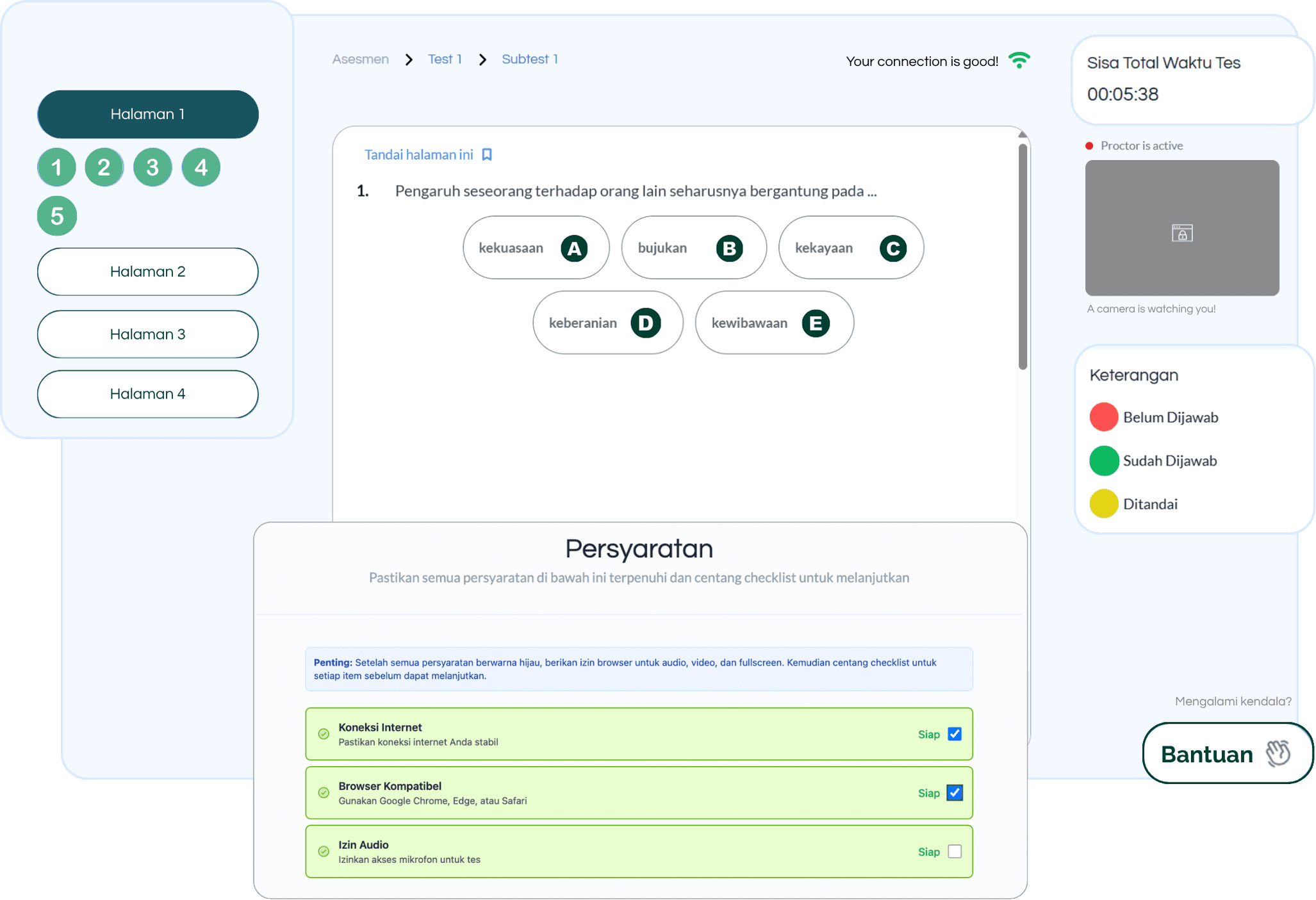
Focus on the test,not the tech.
A simple, comfortable, easy-to-use exam interface. Participants can focus fully on the test without frustrating technical hurdles.
- Clean & intuitive interface
- Easy question navigation
- Countdown timer & progress indicator
- Adaptive layout for any device

One data source,multiple output models.
The same assessment data can be prepared into different outputs for different readers: participants, psychologists, HR, and management.
Responses, scores, norms, notes, and participant metadata are mapped once.
Individual report / PDF
Individual reports with the organization's name, logo, and color theme as needed.
Custom psychogram
A tailored format configured by our team for the required aspects and scales.
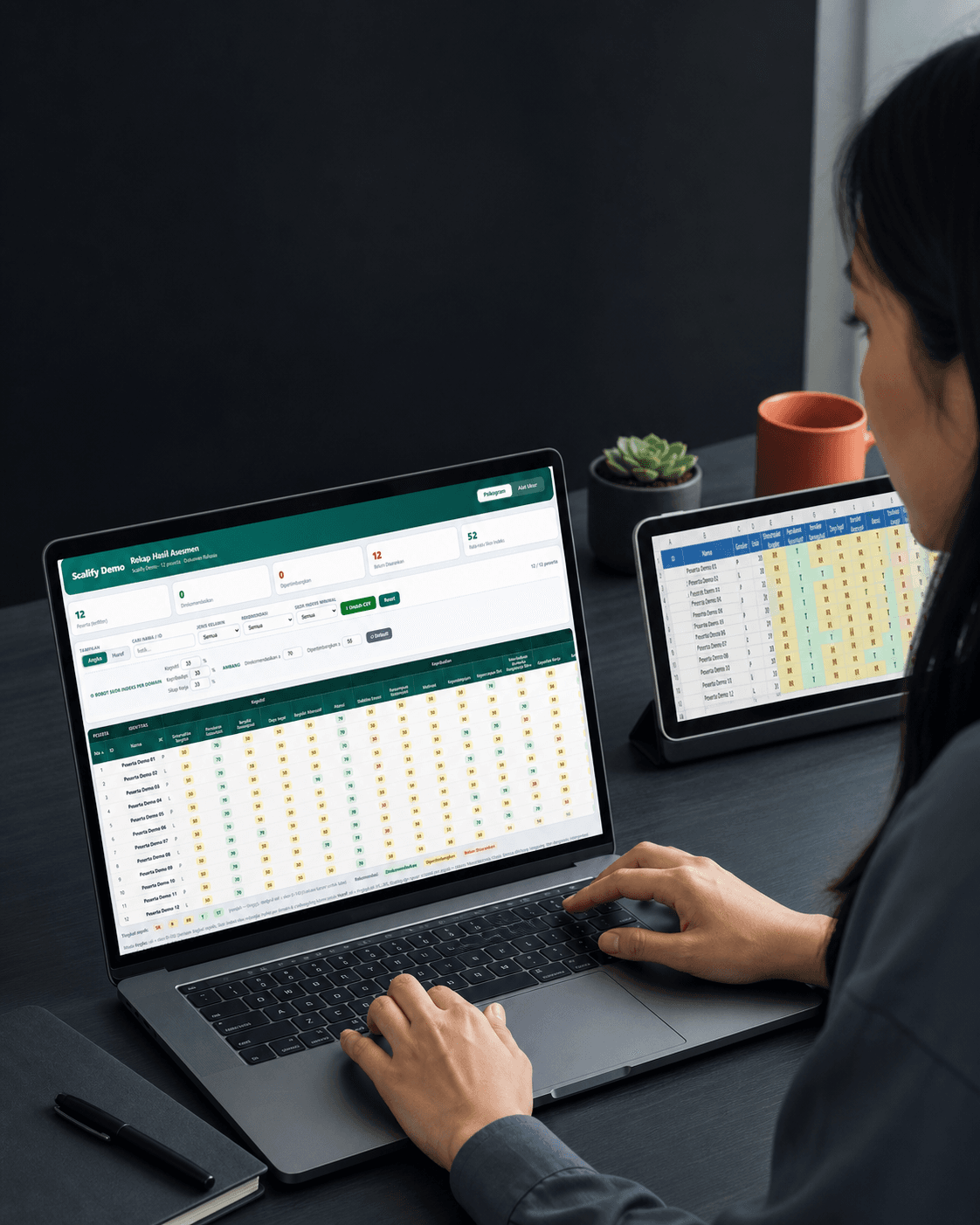
Multi-participant Excel recap
Batch data ready to analyze and share; focused on data rather than visual branding.
HTML dashboard
Searchable, filterable, exportable results with partial identity customization.
Report deck
Insight summaries for meetings, presentations, or decision-making.

White-label is strongest in PDF reports.
PDF reports can be adapted to the client's visual identity through logos, organization names, and color themes, with a choice of report structures/modules and custom psychogram development when needed. HTML dashboards support partial customization; Excel recaps remain data-first.
Map once, make the next batches more consistent.
The output flow is mapped upfront, then the next results can be produced faster while review stays controlled.
Read before running your next project.
Practical guidance for planning tools, workflows, outputs, and budgets with greater clarity.
PDF, psychogram, Excel, or dashboard? Choosing assessment report formats
Compare individual PDF reports, psychograms, Excel recaps, HTML dashboards, and report decks based on their readers and decisions.
Read guideHow to choose an online psychometric platform for companies, schools, and psychology firms
A practical checklist for evaluating assessment tools, participant flow, scoring, reports, security, support, and total project cost.
Read guideOnline assessment platform costs: what to include in your budget
Understand online assessment cost components: platform usage, instruments, setup, operations, reports, custom psychograms, and participant volume.
Read guideJust create an account,and every feature is yours.
The right choice in this economy.